Character encoding
A character can be any letter, digit or symbol that makes up words and languages. English alphabets and digits 'a-z', 'A-Z', '0-9' are all considered characters. Other examples of characters include the Latin letter á or the Chinese ideograph 請 or the Devanagari character ह. A character set is a collection of characters (letters and symbols) in a writing system.
Each character is assigned a particular number called a code point. These code points are stored in computer memory in the form of bytes (a unit of data in computer memory). In technical terms, we say the character is encoded using one or more bytes.
Basically, all the characters are stored in computer language and a character encoding is the awesome dictionary that is going to help us decode this computer language into something we can understand. In technical terms, it is what is used as a reference to map code points into bytes to store in computer memory; then when you use a character in your HTML, the bytes are then read back into code points using the character encoding as a reference.
Examples of character encodings include:
- ASCII: contains letters, characters and a limited set of symbols and punctuation for the English language
- Windows-1252 (Latin1): Windows character set that supports 256 different code points
- ISO-8859-6: contains letters and symbols based on the Arabic script
- Unicode: contains characters for most living languages and scripts in the world
When you code in HTML, you must specify the encoding you wish for your page to use. Providing no encoding or the wrong one is pretty much like providing the wrong dictionary to decode. It can display your text incorrectly or cause your data to not be read correctly by a search engine. A character encoding declaration in your HTML is also important to process unfamiliar characters entered in forms by users, URLs generated by scripts, etc.
You should always use the Unicode character encoding UTF-8 for your web pages, and avoid 'legacy' encodings such as ASCII, Windows-1252 and ISO-8859-6 mentioned above. Do not use the UTF-16 Unicode encoding either.
It is important to note that it is not enough to simply declare your encoding at the top of the web page.You have to ensure that your editor saves the file in UTF-8 also. Most editors will do that these days, but you should check.
Read an Introduction to character sets and encodings here.
In another unit we look at the big five special characters (<, >, &, nbsp, ""). Apart from these, there is actually no need to use entities for all the symbols found here: https://dev.w3.org/html5/html-author/charref. All browsers are built using Unicode internally, which means that they are capable of handling all possible characters defined by Unicode. So, the “best practice” for symbols like copyright, currency symbols, math and arrows is to simply type them directly into the source code.
You can do this directly in the code:
<p>This is © 2015. Breach will entail a fine of € 400</p>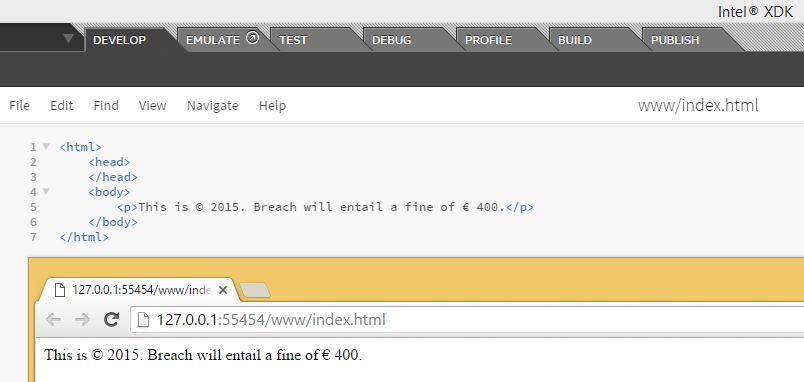
There is no need for the © or € HTML entity.


0 comments:
Post a Comment